Get Started
Get Started for Free
Koala Docs is a Microsoft Word Add-in (requires Word 2016+)
Step 1
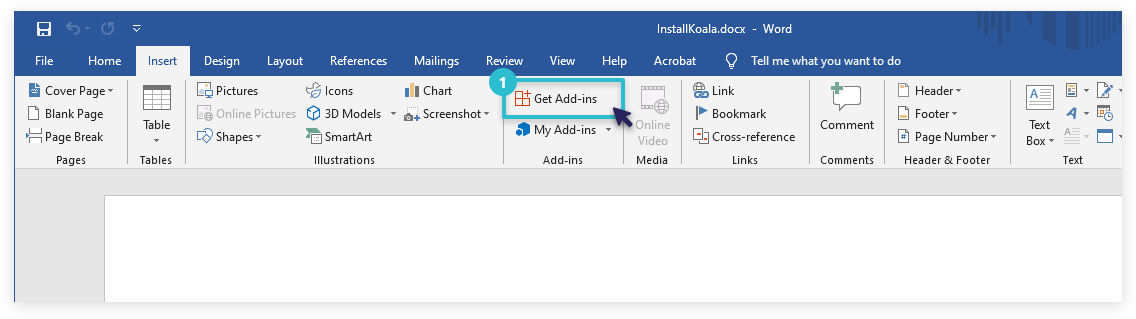
Open Get Add-ins
In Microsoft Word, go to Insert → Get Add-ins
Step 2
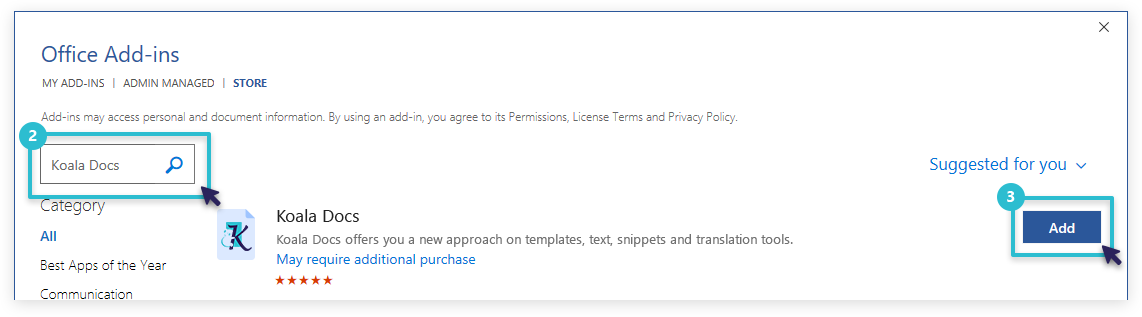
Search and Install
Search for Koala Docs and click Add
You're all set!
Koala Docs will appear in your Word sidebar. Start automating your documents right away.
Or install directly from AppSource →