SMART Documents: Question-Based Automation
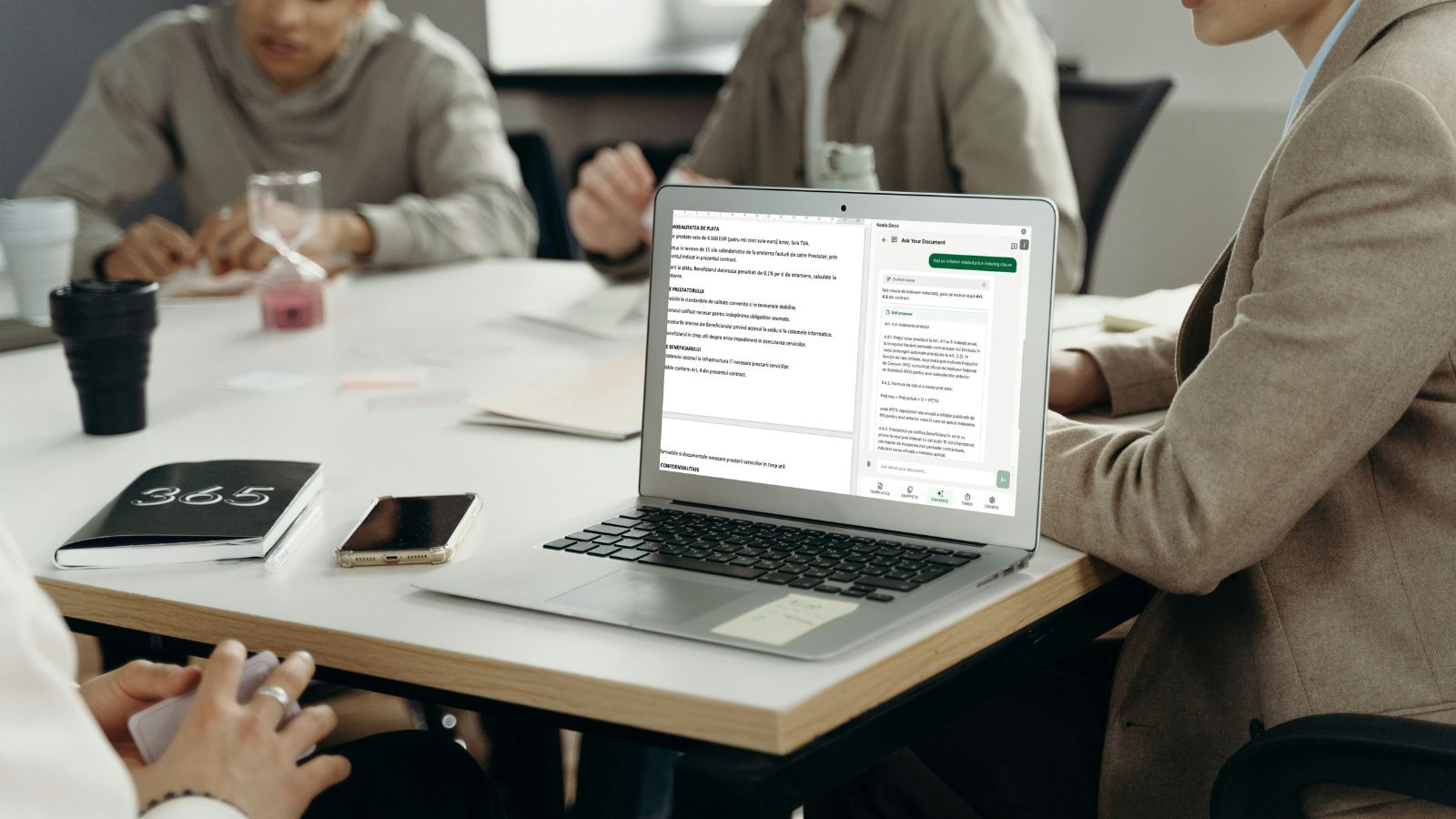
There is a workflow that every office worker knows by heart. Open a previous document. Save it with a new name. Start reading through it, changing names, dates, amounts, and clauses. Scroll down, find another section that needs updating. Scroll back up to check a detail. Miss one reference to the old client name. Send it out. Get an embarrassing email pointing out the mistake.
Copy-paste is the most common method of document creation in business, and it is also the most error-prone. It wastes time, introduces inconsistencies, damages professional credibility, and scales terribly. The more documents a team produces, the more copy-paste errors multiply.
SMART documents represent a fundamentally different approach. Instead of starting with an existing document and modifying it, you start with a set of questions. Answer them, and the document builds itself. No copying, no pasting, no scrolling through pages looking for things to change. The result is a complete, personalized, correctly formatted document generated in seconds.

What Are SMART Documents?
A SMART document is an intelligent template that generates customized output through a question-and-answer interface. Rather than presenting a blank or pre-filled document for manual editing, a SMART document asks the user a series of questions and uses the answers to assemble the correct content, select the appropriate clauses, and format the final output.
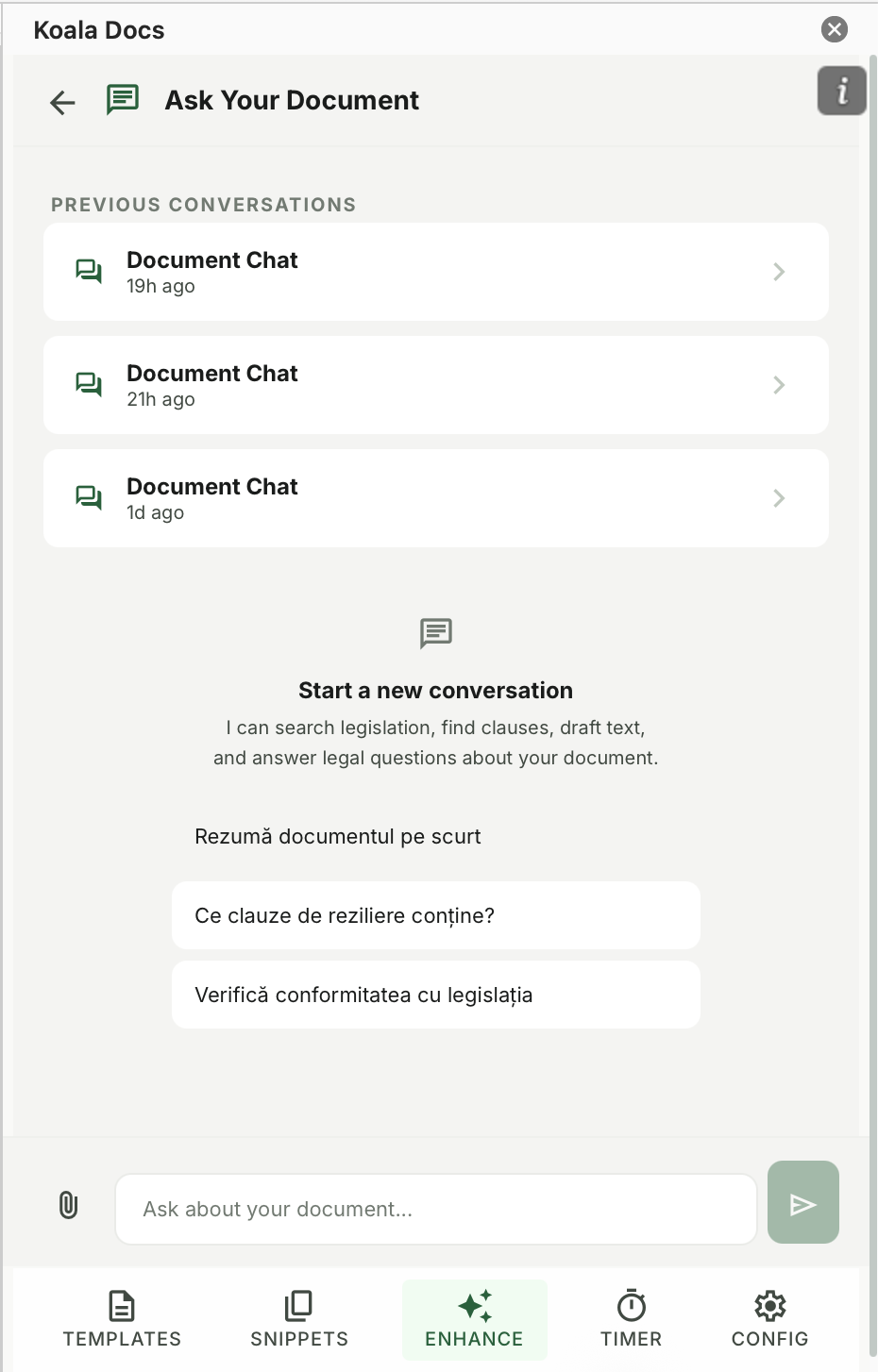
The concept is similar to guided forms in web applications, but applied to Word documents. The user does not need to understand the document’s structure or remember which sections need to change for different scenarios. They simply answer questions in plain language, and the automation handles everything else.
The term “SMART” reflects the key properties of these documents:
- Structured: Every output follows a defined, consistent format
- Modular: Content is assembled from reusable components
- Automated: No manual editing, copying, or formatting required
- Responsive: The document adapts based on the answers provided
- Traceable: Every generated document is based on explicit inputs, creating an audit trail
Visual Example: A Service Contract in 5 Questions
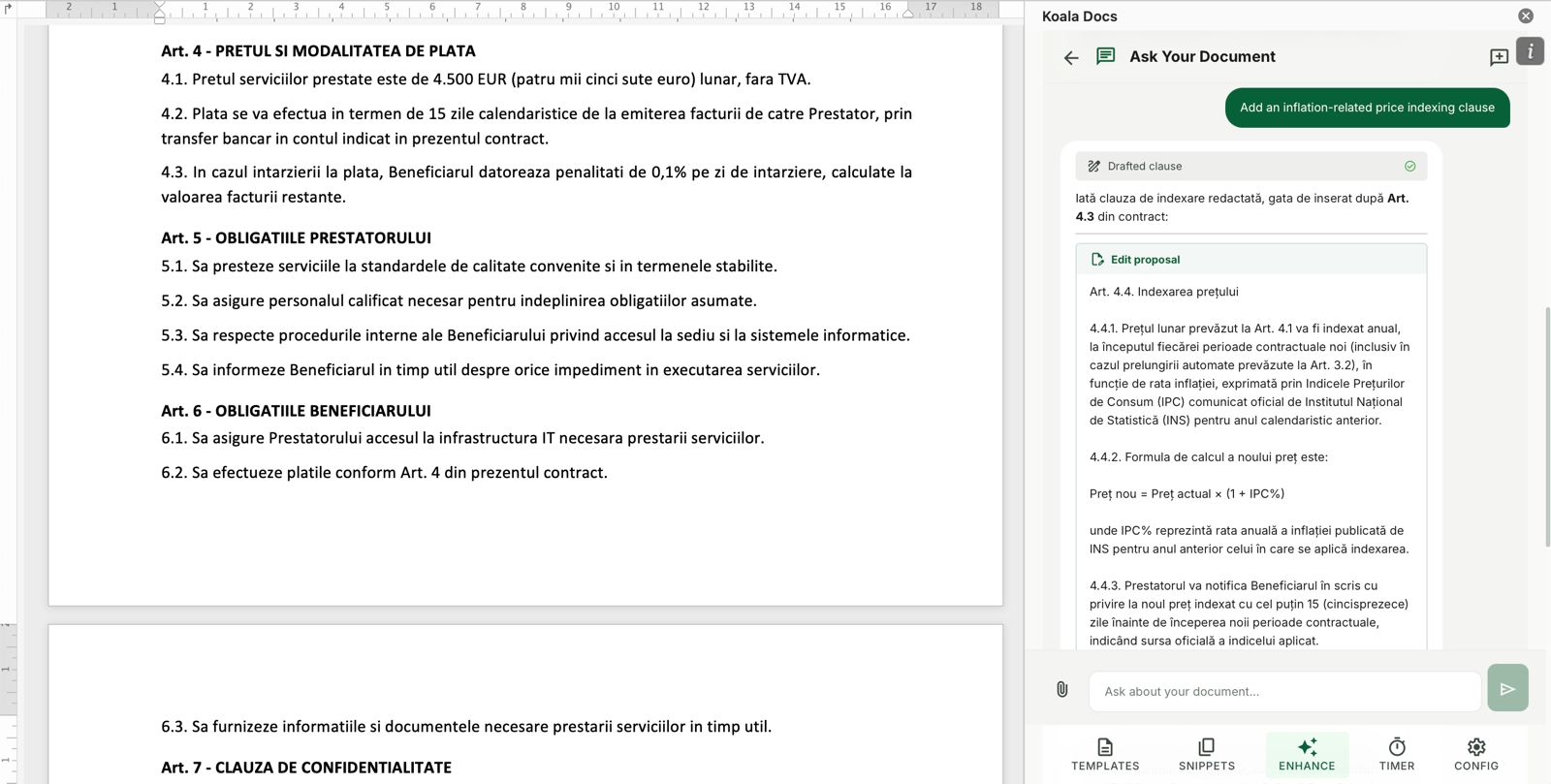
To make the concept concrete, consider how a SMART document generates a service contract. The traditional approach involves opening a previous contract, spending 20 to 30 minutes making changes, and hoping nothing was missed. The SMART approach looks like this:
Question 1: Who is the client?
Answer: Meridian Analytics GmbH, Friedrichstrasse 42, Berlin
Question 2: What type of service is being provided?
Answer: Management Consulting (selected from dropdown)
Question 3: What is the contract duration and start date?
Answer: 12 months, starting June 1, 2026
Question 4: What is the fee structure?
Answer: Monthly retainer of EUR 8,500
Question 5: Are there any special terms?
Answer: Include NDA clause; exclude non-compete clause
Within seconds, the SMART document produces a complete service contract. The client details appear in the header, the introduction, and the signature block. The service description section contains the correct language for management consulting engagements. The duration and financial terms are accurate throughout. The NDA clause is included, and the non-compete section is omitted entirely rather than left in with blank fields.
The resulting document is ready for review and signature. No searching, no replacing, no formatting corrections. Five questions answered, and the job is done.
Static Templates vs. Dynamic Fields vs. SMART Documents
Understanding where SMART documents fit in the document automation hierarchy helps clarify their value. Each level builds on the one before it, as detailed in our complete guide to Word templates.
Static Templates A pre-formatted document that serves as a starting point. The user opens the template and manually edits every variable element. This saves formatting time but still requires significant manual work. Errors are common because the user must find and change every variable reference.
Dynamic Field Templates A template with placeholders or content controls for variable data. The user fills in fields like “Client Name” and “Date,” and the values appear wherever the field is referenced. This reduces errors for simple variable insertion but cannot handle conditional logic. If the document needs different sections based on the situation, dynamic fields cannot help.
SMART Documents A template with conditional logic driven by a question interface. Based on the answers, the document includes or excludes entire sections, selects from alternative clause options, adjusts formatting, and populates all variable data. This handles complex documents with multiple possible configurations, eliminating both manual data entry and manual content selection.
The progression from static to SMART represents an order-of-magnitude improvement in both speed and accuracy at each level. Organizations that move from static templates to SMART documents typically report time savings of 70% or more on complex document types.
6 Practical Scenarios Where SMART Documents Excel
1. Employment Contracts
Employment contracts are ideal candidates for SMART automation because they follow a standard structure but vary significantly based on role type, location, compensation model, and benefits package. A single SMART template can handle full-time employees, part-time workers, fixed-term contracts, and freelance agreements. The questions determine which clauses appear, what compensation structure is used, and which jurisdiction’s legal requirements apply.
Traditional approach: Open a similar previous contract, spend 30 to 45 minutes adapting it, risk missing outdated clauses or incorrect terms.
SMART approach: Answer 6 to 8 questions, receive a complete, accurate contract in under two minutes.
2. Non-Disclosure Agreements
NDAs come in several varieties: unilateral, bilateral, multilateral, with different scopes, durations, and jurisdiction clauses. A SMART NDA template asks the user to specify the parties, the direction of confidentiality, the scope of protected information, the duration, and the governing law. The output is a precisely configured NDA ready for signature, with no extraneous clauses or missing elements.
3. Business Proposals
Proposals are time-sensitive and highly variable. Different prospects need different service combinations, pricing tiers, timelines, and case studies. A SMART proposal template asks about the prospect, their industry, the services they need, the proposed timeline, and the pricing tier. It then assembles a professional proposal with the right sections, the appropriate case studies, the correct pricing table, and all the standard boilerplate. Sales teams that adopt SMART proposals report significantly faster response times to RFPs.
4. Compliance Reports
Regulatory compliance documents follow strict formats but require different content based on the reporting period, the business unit, and the specific regulations being addressed. A SMART compliance template asks for the reporting parameters and generates a document with the correct structure, required sections, and applicable regulatory references. This ensures consistency and reduces the risk of omitting required disclosures.
5. Employee Onboarding Packages
New hire onboarding involves multiple documents: offer letters, employment agreements, benefits enrollment forms, policy acknowledgments, equipment requests, and IT access forms. A SMART onboarding package asks for the new hire’s details once and generates the entire set of documents from a single set of answers. This eliminates the repetitive data entry that HR teams face with every new hire and ensures nothing is missed.
6. Client Invoices and Statements
While dedicated accounting software handles most invoicing, many professional services firms generate custom invoice documents that accompany the standard financial data. SMART templates can generate formatted invoice letters, statements of work summaries, and billing narratives that match the firm’s branding and include the correct client, matter, and service details.
Step-by-Step: Setting Up SMART Documents with Koala Docs
Creating a SMART document with Koala Docs follows a logical process that does not require programming skills. Here is how to build one from scratch.
Step 1: Start with Your Best Example Take the most polished version of the document you want to automate. This becomes your reference for structure, content, and formatting.
Step 2: Identify the Variables Go through the document and highlight every element that changes between versions. Client names, dates, amounts, service descriptions, optional clauses, and conditional sections are all variables.
Step 3: Define the Questions For each variable, create a clear question that will capture the needed information. Use plain language that anyone on your team can understand. Group related questions logically.
Step 4: Map Answers to Content In the Koala Docs template builder, connect each question to the parts of the document it affects. Simple variables map to text replacements. Choice questions map to conditional sections that appear or disappear based on the selected option.
Step 5: Add Conditional Logic For questions that affect document structure rather than just data, set up the conditional rules. For example: if “Contract Type” equals “Fixed Term,” include the term expiration clause; if “Contract Type” equals “Indefinite,” include the termination notice clause instead.
Step 6: Test with Real Scenarios Generate documents using several different combinations of answers. Verify that each scenario produces the correct output. Check formatting, content accuracy, and completeness.
Step 7: Share with Your Team Once the SMART document is validated, share it through the Koala Docs team library. Team members can generate documents immediately without needing to understand the underlying template logic. For guidance on team-wide implementation, see our article on building a company-wide document management system.
The Benefits of Eliminating Copy-Paste
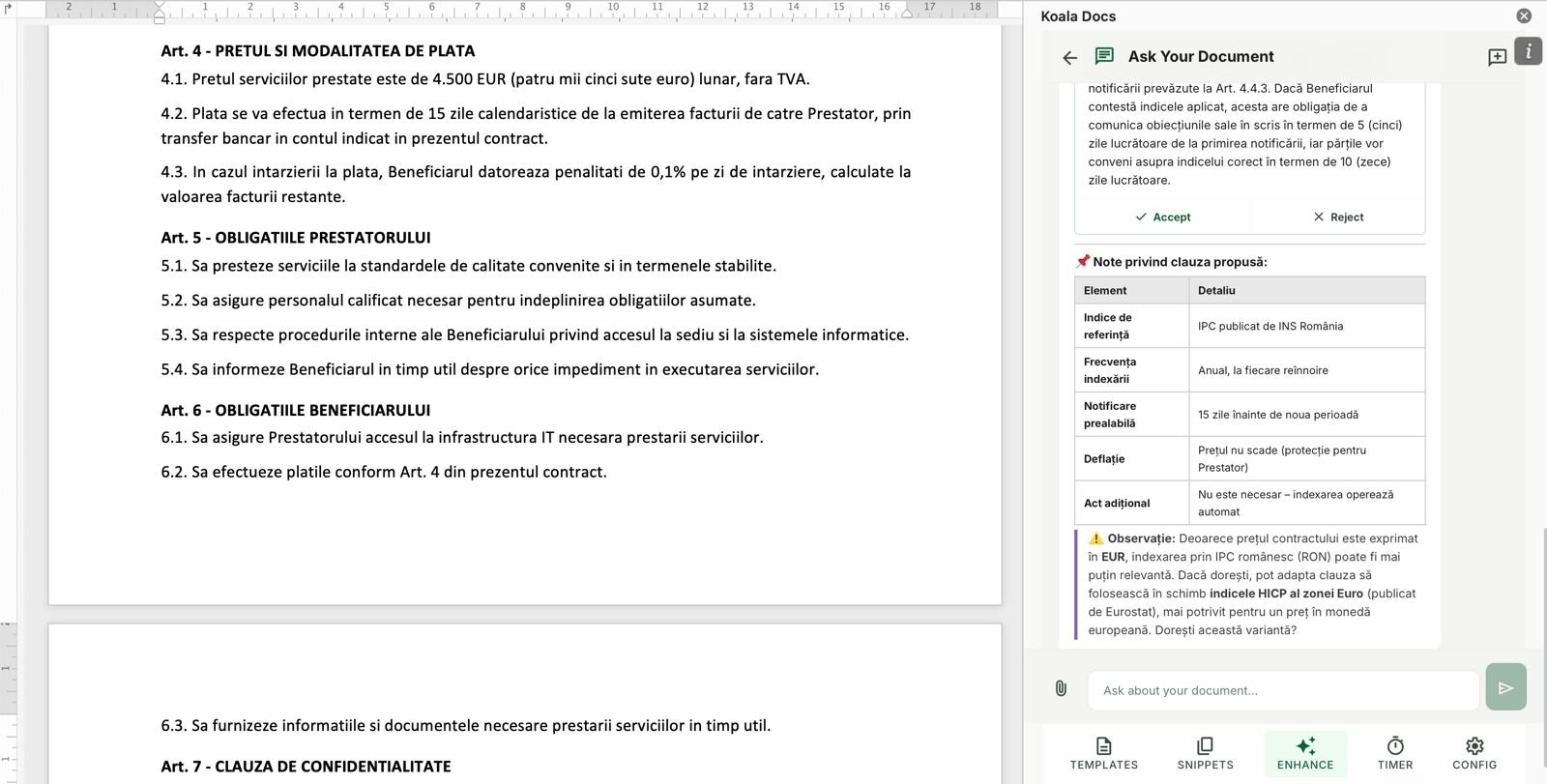
The shift from copy-paste to SMART documents delivers measurable improvements across four critical dimensions.
Zero Data Entry Errors When every variable is captured through a structured question, there is no opportunity for the classic copy-paste mistake of leaving an old client name in paragraph seven. The SMART document populates data consistently and completely throughout the document. Organizations that adopt SMART documents report error rates near zero for automated document types.
Brand and Legal Consistency Every document generated from a SMART template matches your organization’s current standards. Formatting is identical across outputs. Legal clauses are always the latest approved versions. There is no risk of someone using a template from two years ago with outdated terms. This consistency is especially important for regulated industries where non-compliant language creates legal exposure.
Dramatic Speed Improvement A complex document that takes 30 to 60 minutes to create through copy-paste can be generated in 2 to 5 minutes with a SMART template. For teams that produce dozens of documents per week, the cumulative time savings are substantial. As documented in our analysis of document automation ROI, these savings translate directly to increased capacity and revenue.
Professional Output Every Time The quality of a SMART document output is consistent regardless of who generates it. A junior team member produces the same polished result as a senior partner. This democratizes document quality and frees senior professionals to focus on the content decisions (the answers to the questions) rather than the formatting and assembly work.
Combining SMART Documents with Other Koala Docs Features
SMART documents are powerful on their own, but they become even more effective when combined with other Koala Docs capabilities.
SMART Documents + Snippets Build SMART documents that pull content from your snippet library. When a snippet is updated, every SMART document that references it automatically uses the latest version. This is particularly valuable for legal clauses that change periodically.
SMART Documents + AI Translation Generate a document through SMART automation, then translate it into any of 100+ supported languages with a single click. This workflow enables organizations to produce multilingual documents without maintaining separate templates for each language. Learn more about AI translation for business documents.
SMART Documents + Time Tracking Track how long it takes to answer the questions and review the generated output. Over time, this data reveals which SMART documents are most efficient and which might benefit from refinement. For professionals who bill by the hour, the time tracking feature ensures that even the few minutes spent generating a SMART document are captured as billable time.
SMART Documents + Team Sharing Share your SMART documents across the organization so that every team member can generate the same high-quality output. Administrators control who can edit the SMART logic and who can only use it, maintaining quality while enabling broad access.
Frequently Asked Questions
How technical do I need to be to create SMART documents?
You do not need any programming or technical skills. Koala Docs provides a visual interface for creating SMART documents that works through point-and-click actions and dropdown menus. If you can create a Word document and answer questions about what should vary in it, you can build a SMART document. The process is closer to filling out a form than to writing code. Most users create their first SMART document in under 30 minutes, and subsequent ones are faster as the concepts become familiar.
Can SMART documents handle very complex documents with many variables?
Yes. SMART documents can accommodate dozens of questions and hundreds of conditional rules. Complex documents like multi-party joint venture agreements, comprehensive employee handbooks, or detailed project proposals with multiple service lines and pricing tiers all work well with SMART automation. The key is thoughtful design: organize questions into logical groups, use clear labels, and test thoroughly with real scenarios. For extremely complex documents, consider breaking them into modular SMART documents that can be combined.
What happens if I need to customize a SMART document after it is generated?
SMART documents generate standard Word documents as output. Once the document is generated, you can edit it like any other Word file. The automation gets you to a 90% to 95% complete document in seconds, and you can make any final adjustments manually. This hybrid approach gives you the speed of automation with the flexibility of manual editing when unusual circumstances require it. Over time, you can refine the SMART template to handle more scenarios automatically, reducing the need for post-generation edits.
Ready to stop copying and pasting? Get started with Koala Docs and create your first SMART document today. Generate personalized contracts, proposals, and reports in seconds with question-based automation. Combine with templates, snippets, AI translation, and time tracking for a complete document workflow inside Microsoft Word. Explore features | View pricing | See use cases
Ready to automate your documents?
Try Koala Docs free — install in under 60 seconds.
Get Started Free →