The True ROI of Document Automation: How Teams Save 10+ Hours Per Week

Every week, knowledge workers across the world sit down and do the same thing: open a document, copy text from an old file, change a few names and dates, fix the formatting that broke during the paste, and send it off. Multiply that by every contract, proposal, report, and letter your team produces, and you start to see the scale of the problem. Research consistently shows that professionals spend a significant portion of their working time on repetitive document tasks. For a team of ten, that can amount to more than 80 hours per week of low-value work.
Document automation changes that equation entirely. In this article, we break down the real return on investment that teams achieve when they stop creating documents from scratch and start using automation tools, templates, and intelligent workflows.

The Document Automation Market Is Booming for a Reason
The global document automation market was valued at approximately USD 4.42 billion in 2025 and is projected to grow to USD 9.77 billion by 2035. (Source: Wise Guy Reports, Document Automation Software Market) That growth is not accidental. Organizations of every size are recognizing that manual document creation is one of the largest hidden costs in their operations.
What is driving this shift? Three forces converge: rising labor costs, increasing compliance demands, and the availability of tools that make automation accessible without IT departments or custom development. Modern solutions like Koala Docs operate directly inside Microsoft Word, meaning teams can automate without leaving the application they already use.
Breaking Down the ROI: What the Numbers Actually Say
When executives ask about the return on document automation, the answer is surprisingly consistent across industries. Organizations typically report substantial return on investment within the first year of implementation.
Here are the key statistics that matter:
- Significant reduction in document processing time across organizations that adopt template-based automation
- Substantially fewer errors in automated documents compared to manually created ones
- Many enterprises report measurable improvement in document workflows after adopting automation tools
- Several hours saved per employee per week for roles that involve heavy document creation, such as legal, HR, and sales
These are not projections. They reflect outcomes measured by organizations that have already made the transition.

Understanding Where Time Goes: The 5 Biggest Document Time-Wasters
Before you can calculate your own ROI, you need to understand where the time actually goes. Most teams underestimate the cumulative impact of document-related tasks because each individual task feels small. But when you aggregate them, the picture changes dramatically.
1. Contracts and Agreements
Sales teams, legal departments, and procurement groups produce dozens or even hundreds of contracts per month. Each one requires pulling client details, inserting the correct terms, adjusting pricing, and ensuring compliance language is current. Without automation, a single contract can take 30 to 90 minutes to prepare. With templates and dynamic fields, that drops to under five minutes.
2. Employee Onboarding Documents
HR teams produce offer letters, employment contracts, benefits enrollment forms, confidentiality agreements, and policy acknowledgments for every new hire. For a company hiring 20 people per month, that can represent 40 or more hours of document preparation. Automated workflows reduce this to a fraction of the effort.
3. Reports and Compliance Documents
Monthly reports, quarterly reviews, audit documentation, and regulatory filings follow predictable structures. Yet many teams recreate these documents each cycle, reformatting data and rewriting sections that barely change. Template automation ensures the structure is always correct, and only the variable data needs updating.
4. Proposals and Quotes
Sales proposals are among the most time-sensitive documents any team produces. A slow response to an RFP can cost a deal. Yet proposals often require assembling information from multiple sources, customizing language for the prospect, and ensuring brand consistency. Snippet libraries and SMART document automation reduce proposal creation time by 60% or more.
5. Routine Correspondence
Letters, memos, client updates, and internal communications account for a surprising share of document time. While each one takes only a few minutes, the volume adds up. A law firm sending 50 client letters per week can reclaim several hours simply by using standardized templates with dynamic fields.
Practical Example: HR Contract Generation
Let us compare the manual and automated approaches for a common workflow: generating an employment contract.
Manual Workflow (Average Time: 45 minutes)
- Open a previous contract and save it with a new file name (2 min)
- Search and replace the employee name, title, and start date (5 min)
- Update the salary, benefits, and probation terms (8 min)
- Review the legal clauses to ensure they are current (10 min)
- Fix formatting issues caused by editing (8 min)
- Have a colleague review the document for errors (10 min)
- Convert to PDF and send (2 min)
Automated Workflow with Koala Docs (Average Time: 5 minutes)
- Open the employment contract template in Word (30 sec)
- Answer five questions: employee name, title, start date, salary, contract type (2 min)
- The template populates all fields, selects the correct clauses, and formats the document (instant)
- Review the completed document (2 min)
- Export and send (30 sec)
That is a 40-minute saving per contract. For a company generating 30 contracts per month, automation saves 20 hours monthly on this single document type alone.
Case Study: Legal Team Reduces Drafting Time by 60%
Consider the experience of a mid-size legal practice with twelve attorneys. Before automation, the firm estimated that its lawyers spent roughly 35% of their billable time on document preparation rather than legal analysis. Standard documents like NDAs, service agreements, and demand letters were created by modifying previous versions, a process that frequently introduced errors and inconsistencies.
After implementing a template-based workflow with dynamic fields and snippet libraries, the firm measured the following results over six months:
- Document drafting time decreased by 60%, freeing an average of 8 hours per attorney per week
- Error rates dropped by 42%, reducing revision cycles and client complaints
- Document consistency improved measurably, with all attorneys producing outputs that matched the firm’s brand and legal standards
- Client satisfaction scores increased, attributed partly to faster turnaround times
The financial impact was significant. With attorneys billing at an average of EUR 200 per hour, the recovered time translated to over EUR 19,000 per attorney per month in additional billable capacity. For the firm of twelve, that represented a potential annual gain exceeding EUR 2.7 million in billable hours.
This is a representative scenario based on common industry patterns.
The lesson here is clear: document automation does not just save time. It converts non-billable administrative work into revenue-generating capacity.
How Koala Docs Delivers Measurable ROI
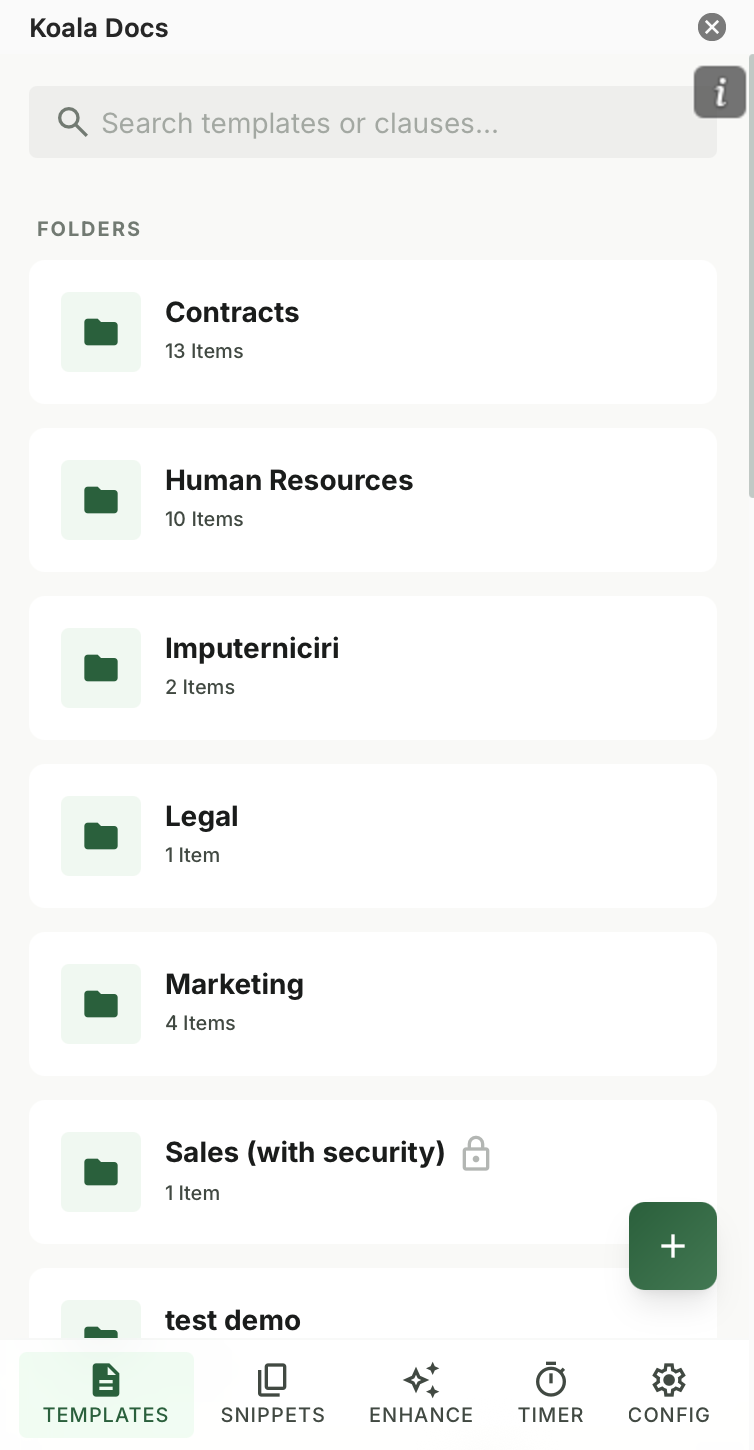
Koala Docs is designed specifically to address the document challenges described above, and it works directly inside Microsoft Word. Here is how the platform delivers ROI across the key areas:
Templates and Dynamic Fields Create reusable templates with placeholders that auto-fill with client names, dates, amounts, and other variable data. No more search-and-replace errors. Build your template once, and generate perfect documents every time. Learn more in our ultimate guide to Word templates.
Snippet Libraries Store frequently used paragraphs, clauses, disclaimers, and boilerplate text in an organized library. Insert them into any document with a single click. Update a snippet once, and every future document uses the latest version.
SMART Document Automation Go beyond simple templates with question-based document generation. Define a series of questions, and SMART documents automatically assemble the correct content, clauses, and formatting based on the answers. This eliminates copy-paste entirely for complex documents.
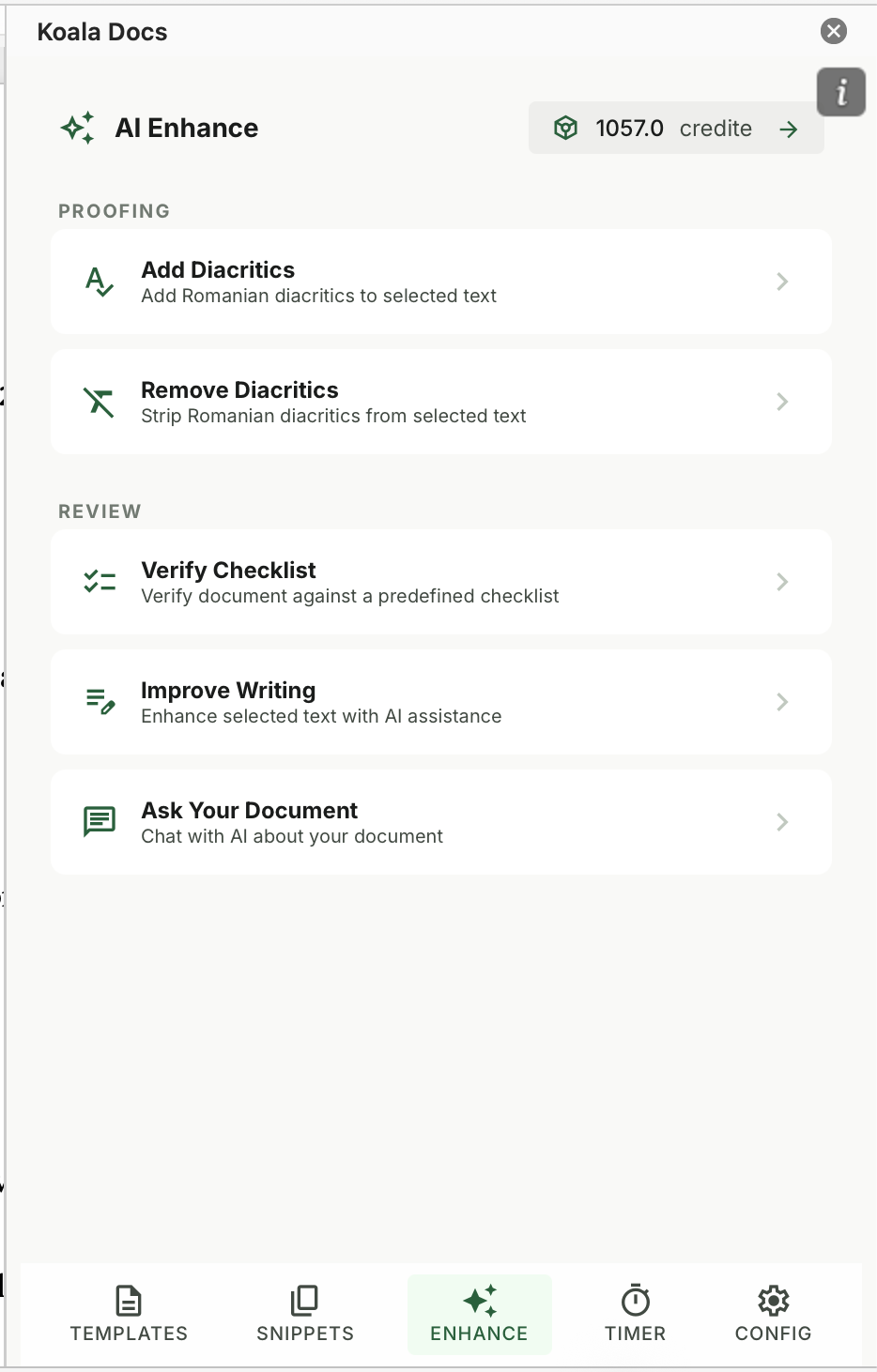
AI Translation for International Teams Translate documents into over 100 languages directly inside Word. For organizations operating across borders, this eliminates the delay and cost of external translation services. Read our complete guide to AI translation for business documents.
Built-In Time Tracking Know exactly how long each document takes to create. Koala Docs includes a timer that tracks time per document, giving teams the data they need to measure productivity, bill accurately, and identify bottlenecks.
Team Sharing and Sync Share templates, snippets, and SMART documents across your entire team. Everyone works from the same library, ensuring consistency and eliminating the problem of outdated versions floating around on individual desktops. Learn how to build a company-wide document management system.
At from EUR 9.95 per month, the investment pays for itself within the first week for most professionals.
Calculating Your Own Document Automation ROI
To estimate your return, use this simple framework:
- Count your recurring documents. How many contracts, proposals, reports, and letters does your team produce per month?
- Estimate time per document. How long does each document take to create manually?
- Calculate total hours. Multiply the count by the time per document.
- Estimate the automation reduction. Most teams see a 50% to 80% reduction in document creation time.
- Assign a cost to the saved hours. Use your team’s average hourly rate or billing rate.
- Compare to the tool cost. Subtract the monthly subscription cost from the monthly savings.
For most teams, the math is overwhelming. Even a single employee spending two hours per day on document tasks can save over 40 hours per month with automation. At a modest hourly rate of EUR 40, that is EUR 1,600 in recovered productivity against a tool cost of under EUR 10.
Frequently Asked Questions
How long does it take to see ROI from document automation?
Most teams see measurable time savings within the first week. The initial investment is in setting up your templates and snippet libraries. Once those are in place, every document you create is faster. Organizations typically report full ROI within 30 to 60 days, with the compounding effect increasing over time as the template library grows and more team members adopt the workflow.
Is document automation only for large enterprises?
Not at all. In fact, smaller teams and individual professionals often see the highest relative ROI because they lack the administrative support that larger organizations have. A freelance consultant or a five-person law firm benefits enormously from automation because every hour saved directly impacts revenue or capacity. Solutions like Koala Docs are designed to scale from individual users to large teams without requiring IT infrastructure.
What types of documents benefit most from automation?
Documents that follow a consistent structure but require variable data are ideal candidates. This includes contracts, proposals, offer letters, NDAs, invoices, compliance reports, and client correspondence. The more frequently a document type is produced, the greater the return from automating it. Start with your highest-volume document and expand from there.
Ready to calculate your own ROI? Start with Koala Docs and discover how much time your team can reclaim. With templates, snippets, SMART automation, AI translation, and built-in time tracking, Koala Docs turns Microsoft Word into a complete document automation platform. View pricing or explore all features.
Ready to automate your documents?
Try Koala Docs free — install in under 60 seconds.
Get Started Free →